Eurostreet · SpecialCall
The interpreting app for emergency services.
SpecialCall is the app Eurostreet's interpreters and operators use to receive calls forwarded by the emergency services. Whoever answers has a few moments to decide: the interface is designed to be fast and intuitive.
- Client
- Eurostreet
- Sector
- Telephone interpreting for emergency services
- Year
- 2025–2026
- Our role
- Design, development and infrastructure management
- Platform
- Mobile app, iOS and Android
- Technology
- Flutter, Kotlin, Swift, WebRTC, SIP
The app
Introducing the SpecialCall app.
SpecialCall has two kinds of user: interpreters, who receive calls in the languages they speak, and Eurostreet operators, who step in when a call goes unanswered.
The app has three main pages: the home page, the history of received calls and, finally, the profile.
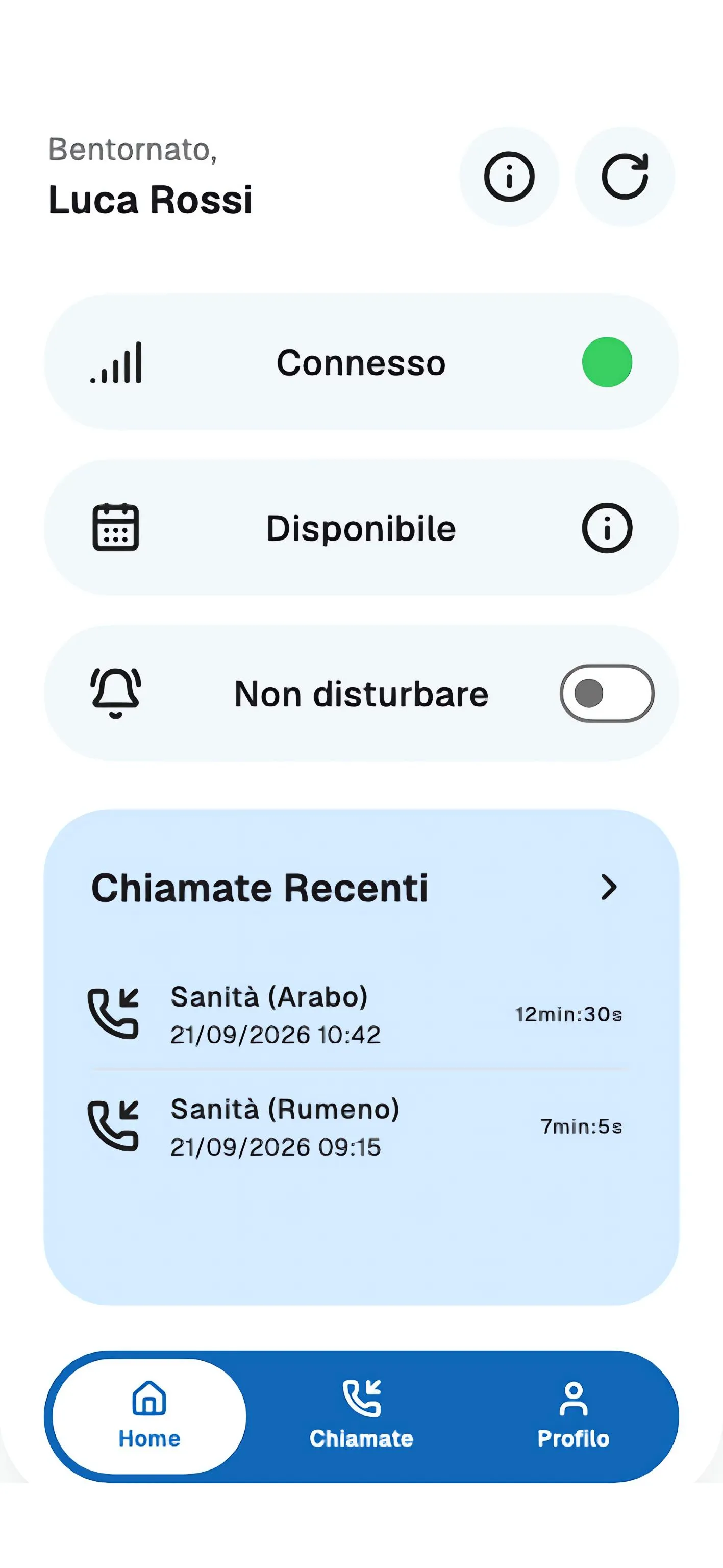
Home: connection and availability sit at the top of the page. Whether you can be reached must be visible without having to look for it.
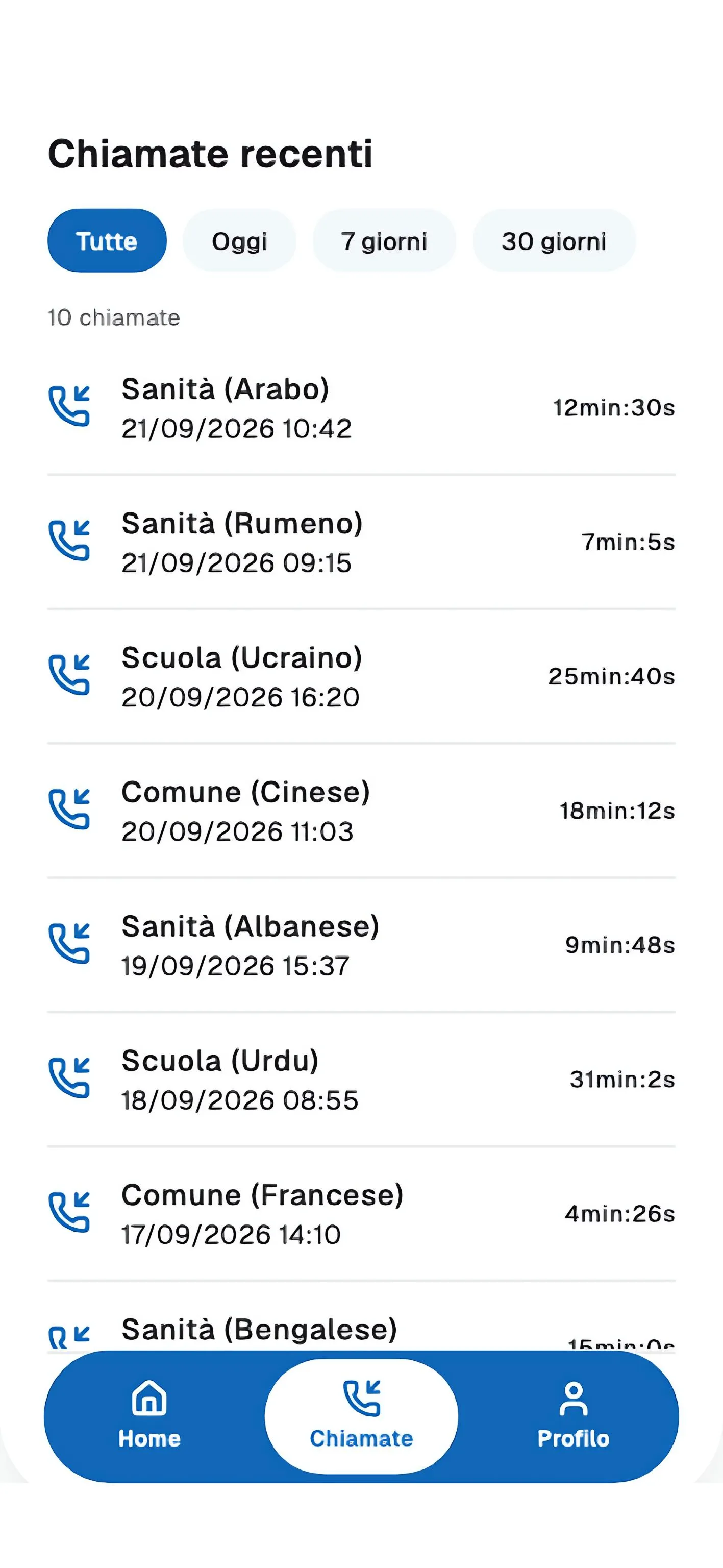
Recent calls: date, time and duration. It is also the list an interpreter uses to work out the hours they have worked.
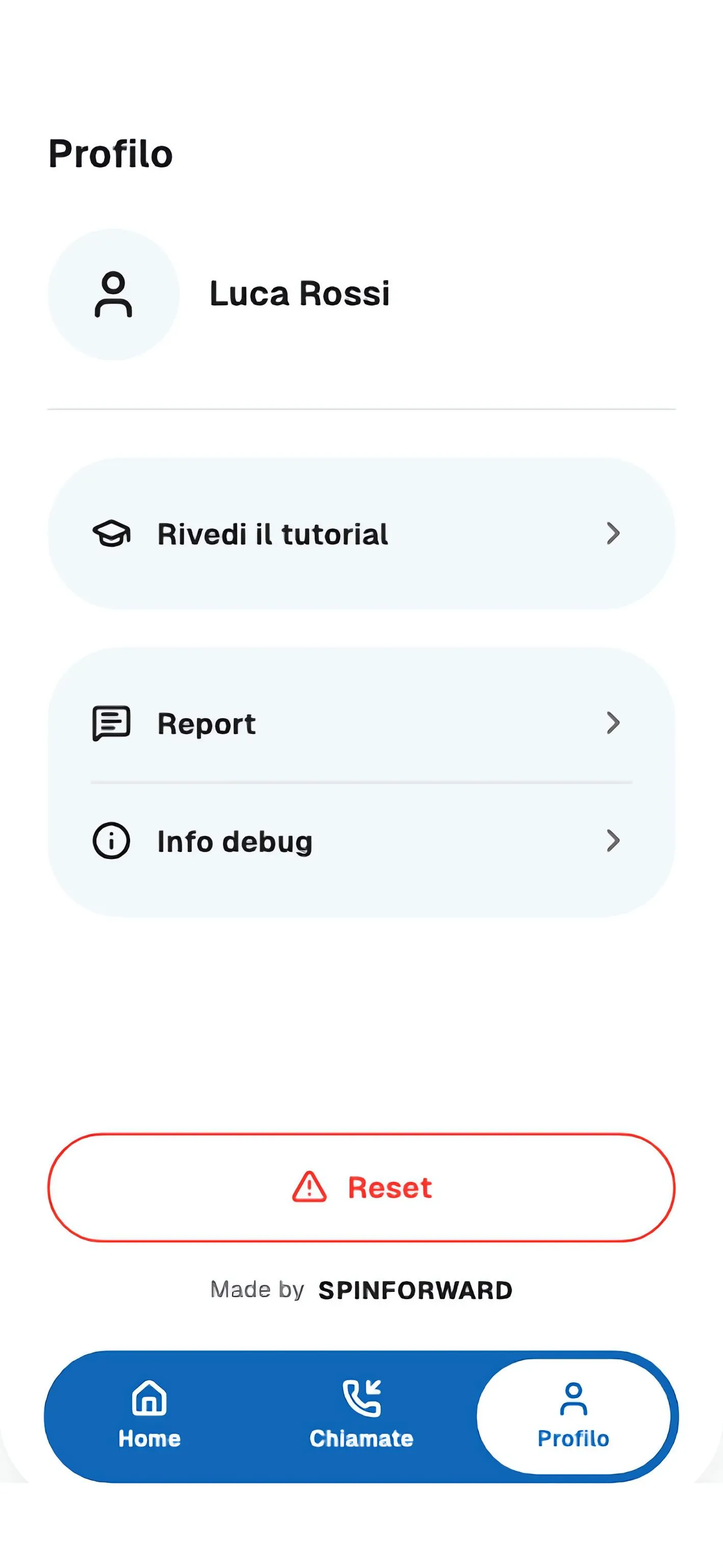
Profile: reports, debug information and app reset.
The call
The two call screens.
When an emergency service forwards a call, the platform sends it simultaneously to every interpreter available for that language; the first to accept takes it. If nobody answers before the timeout, the same call is forwarded to a Eurostreet operator.
Chiamata in arrivo
Arabo
Interprete
RifiutaAccettaBlue — for the interpreterThis is the interpreter's screen: the language comes first, because interpreters often work in several languages.
Chiamata in arrivo
Arabo
Operatore
RifiutaAccettaGreen — for the operatorSame layout and same hierarchy. What changes is the background colour and the role shown under the language: the distinction relies on colour because it is recognised before anything is read.
Escalation
If nobody answers before the timeout.
The operator response flow: four screens that lead from the incoming call to a conference between caller, operator and interpreter.
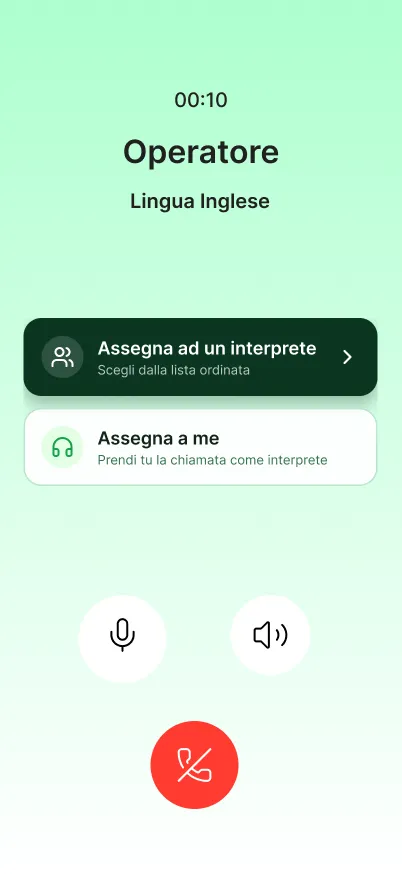
Assign or take the callTwo options: assign the call to an interpreter, or take it yourself.
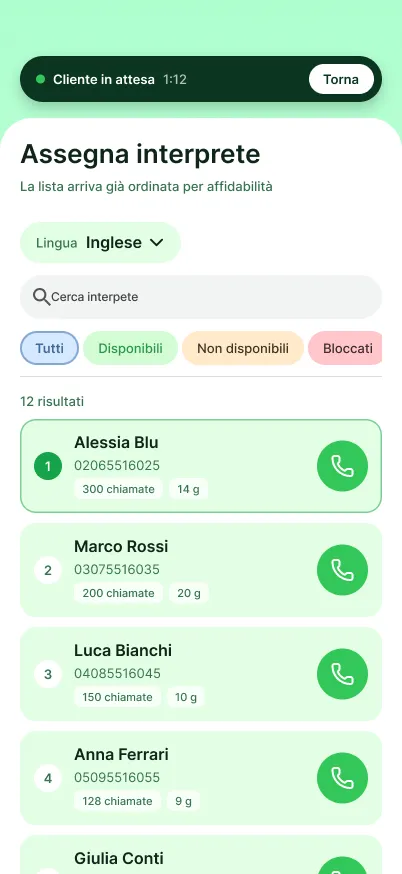
Finding an interpreterThe list of interpreters is sorted by reliability and filtered by the language of the call. The aim is to have someone to contact straight away.
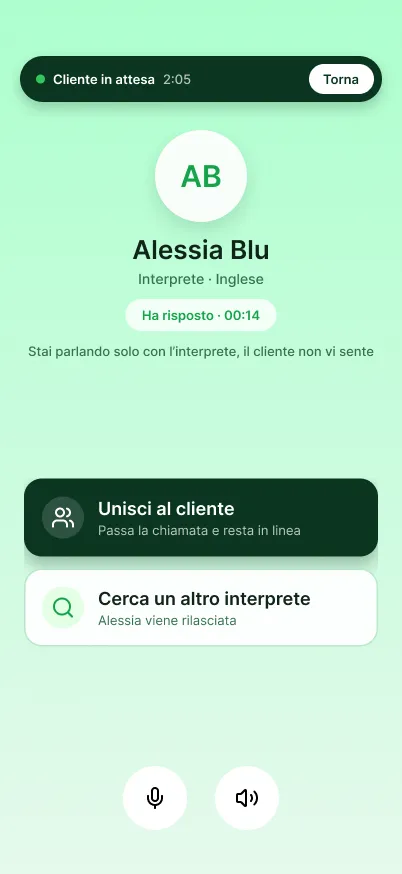
Briefing the interpreter firstThe interpreter has accepted but is not yet on the line with the caller: the operator briefs them on the context before connecting them.
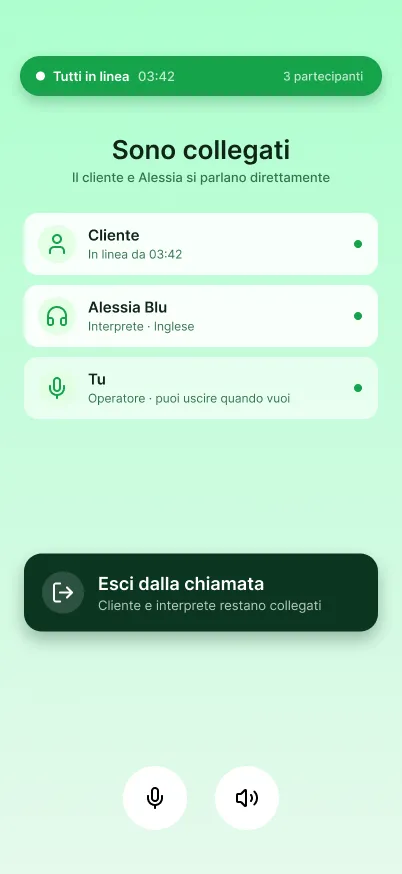
Three-way conference, then the operator leavesOnce the caller and interpreter are connected, the operator can leave.