We handle hardware replacement for switches and routers, mostly Cisco, across Italy. When a device fails we need to know right away where it is, whether it's covered and who can go.
How we worked before
Every month we received an Excel file listing the devices under support. For each email request we had to open that month's file, look up the device, check it was covered and then find an available engineer in the area in our contacts. These were all manual steps, repeated for every request.
Our management system
To get rid of those manual steps we built a management system inside our intranet. It has four sections, opens on a phone too, and we use it during call-outs as well.
The partner map
Engineers from the companies we work with sit on a map, with their base, area covered, contacts and guaranteed response time, which sets the pin colour: green under 24 hours, yellow up to 48, red beyond. Searching for the client's address shows who can get there and how fast; star ratings help us choose.
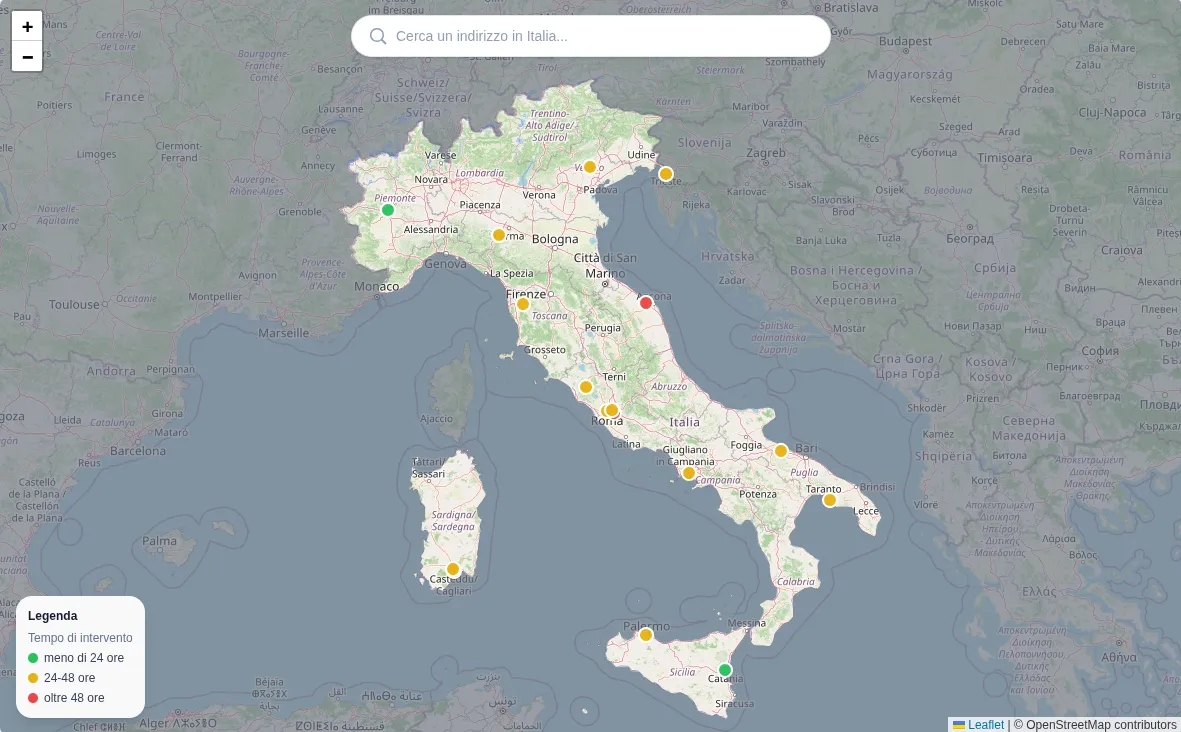
The partner map, with the response time legend.
Devices and clients
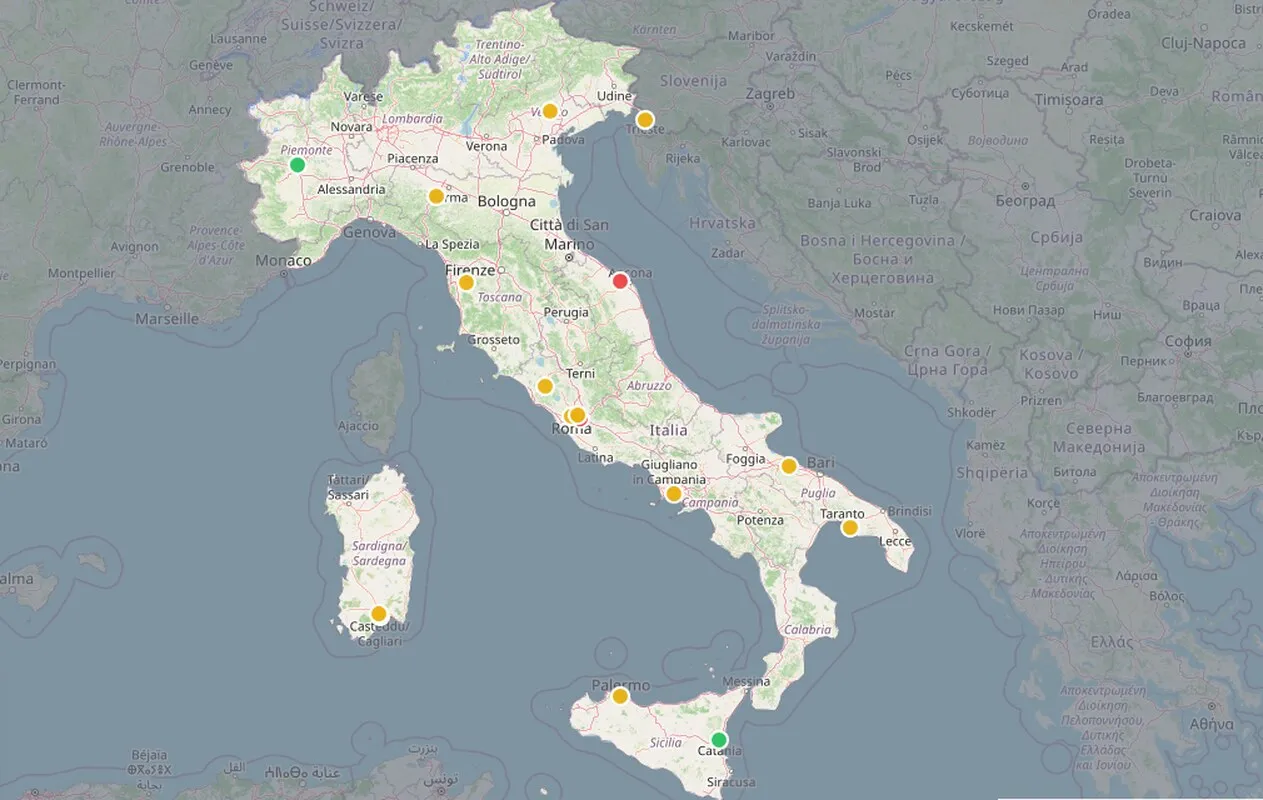
Devices are loaded from each month's Excel file. A guided procedure asks which column matches which field; then the import runs in the background and turns every address into coordinates. The result is a map of every site with its devices (model, serial number, hostname) and, alongside, a list by client. When a request comes in we search by hostname, serial number or address and the device shows up on the map.
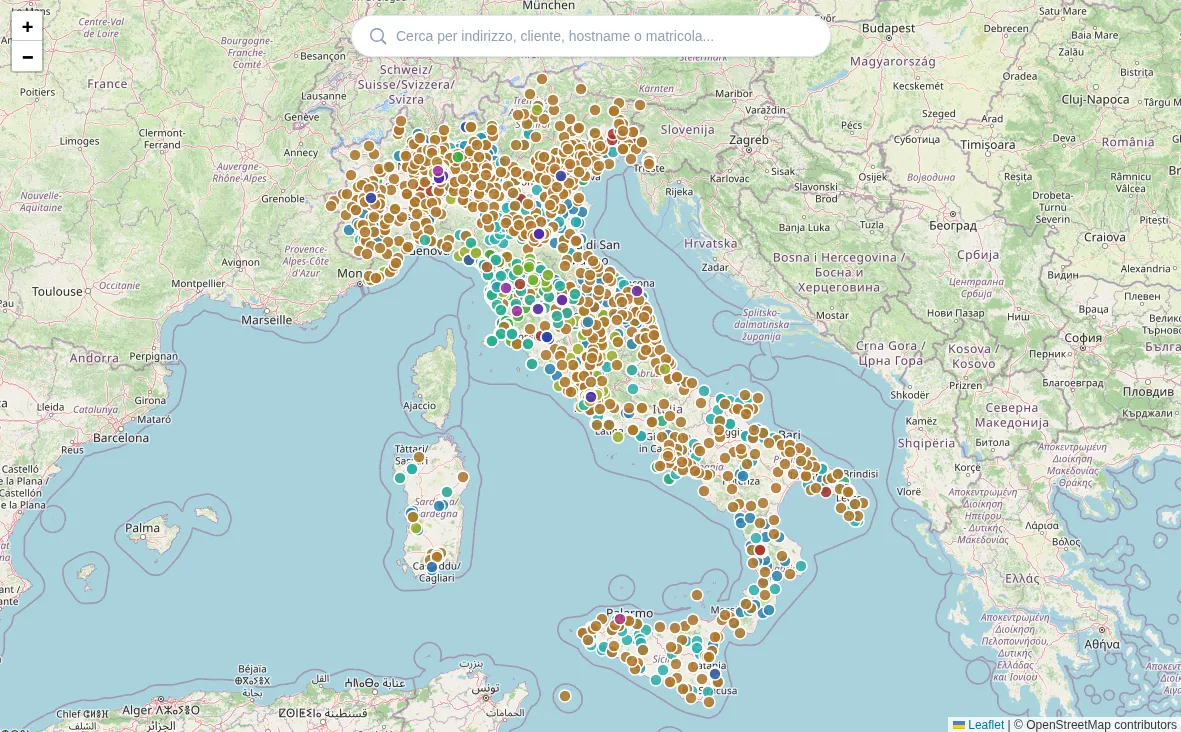
Client sites across the whole country.
Contacts
One entry per company, with logo and contacts: field partners, remote engineers and end clients, the latter grouped under their carrier.
Tickets
For now we open tickets by hand. Each one holds the client, the partner doing the job, the colleague following it and the updates. Tags mark the ones that need an RMA with Cisco and the ones with a hardware fault. Search finds a ticket from the hostname or serial number too.
Next steps
- An RMA report with the status taken from the Cisco site, so we no longer check two systems by hand.
- Tickets created from emails: when a request comes in the ticket opens itself, and later replies go into its history.